Merge PDF Files Online
Combine multiple PDF files into one clean document quickly, privately, and for free.
Drag & Drop PDF Files Here
or click to browse your folders
Compatible with all standard PDF documents
Preparing files…
Please wait while we combine your documents.
PDF Merged Successfully!
What Makes Our Browser Merge PDF Different?
Combining PDF documents shouldn’t require compromising your confidential data or purchasing costly desktop software licenses. Our modern browser-powered merger utilizes state-of-the-art WebAssembly and JavaScript compilation to assemble your pages straight inside your device’s browser memory.
Zero Server Storage
Unlike conventional web utilities, your documents are never transmitted over the internet to third-party cloud servers. Maximum privacy guaranteed.
Instant Performance
Enjoy near-instantaneous page stitching without waiting through slow file upload queues or download processing latency.
No Limits or Watermarks
No arbitrary file counters, daily quotas, or ugly watermarks stamped across your headers. Use it as frequently as your work requires.
Cross-Device Compatibility
Seamlessly reorder and merge PDF files on your smartphone, tablet, MacBook, Windows PC, or Chromebook directly from any modern web browser.
Step-by-Step: How to Combine Your PDF Documents
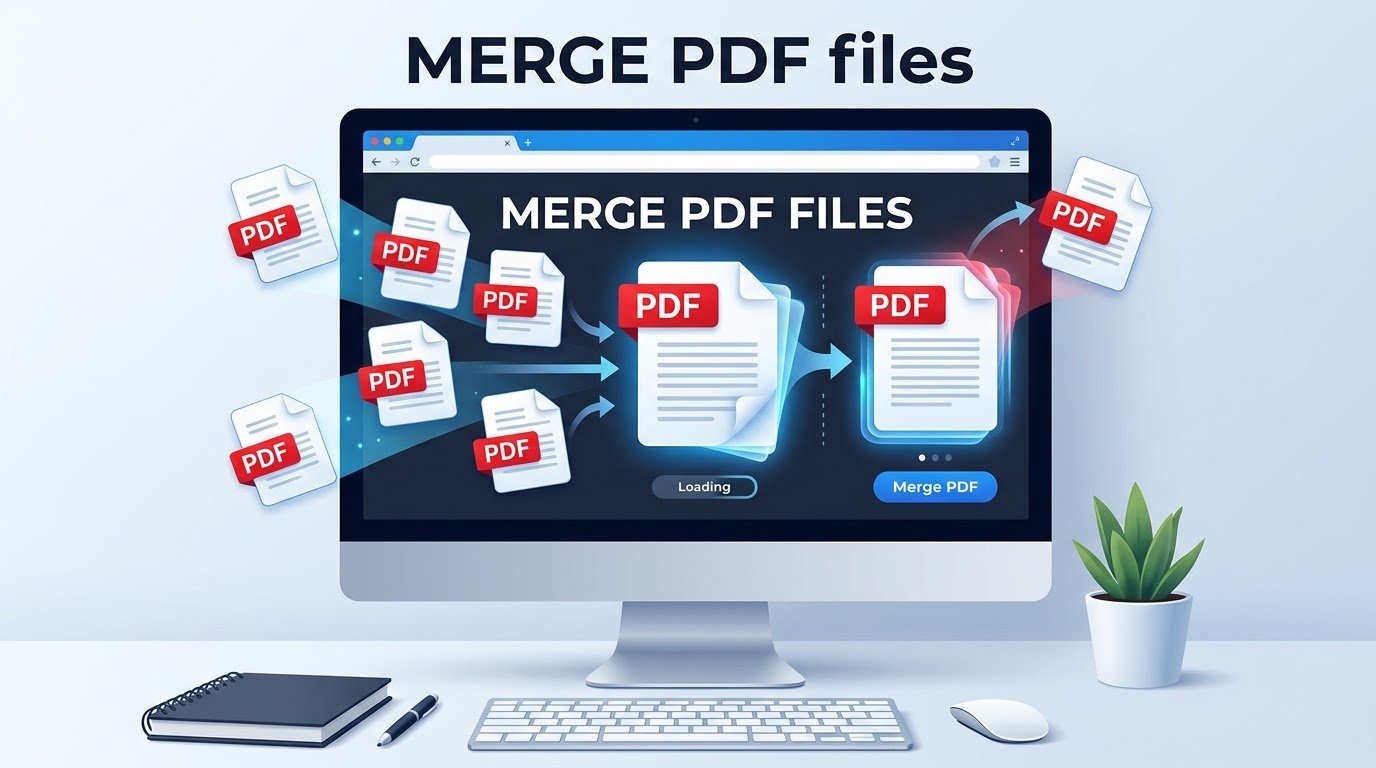
- Select or Drag & Drop: Add two or more PDF files into the tool using the designated upload zone. You can also drag batches of files directly from your file manager.
- Reorder Your Files: Use the drag handles to position your files in the exact sequence you want them merged. On mobile or touch devices, use the intuitive Up and Down buttons.
- Personalize the File Name: Type a preferred name into the “Output Filename” box to ensure your new composite file is immediately organized upon download.
- Execute Merge: Click the Merge PDF button. Your browser merges the pages in real-time.
- Save Your New File: Click Download Merged PDF to save the final stitched document to your local storage.
Popular Use Cases for Merge PDF
Common everyday scenarios where combining PDF files saves valuable hours:
- Professional Job Applications: Collate your cover letter, customized resume, professional references, and recommendation letters into a single, cohesive submission packet.
- Tax & Accounting Records: Compile individual receipts, bank statements, W-2/1099 forms, and schedules into a single audit-ready annual tax package.
- Academic Papers & Research: Group title pages, research chapters, appendix datasets, and bibliographies into a publication-ready manuscript.
- Legal Briefs & Real Estate: Merge addendums, title deeds, disclosures, and closing signatures into a unified binding agreement.
- Contractor & Freelance Invoicing: Append itemized timesheets, delivery proofs, and expense receipts directly behind your invoice.
Comparison: Local Browser Tool vs. Traditional Converters
| Criteria | This Local Browser Tool | Standard Cloud Converters | Desktop Suites (e.g. Acrobat) |
|---|---|---|---|
| Data Privacy | 100% Private (Local RAM) | Uploaded to remote servers | Local machine |
| Cost | 100% Free Forever | Subscription or Freemium paywalls | Expensive monthly licenses |
| Installation | None (Works instantly) | None | Gigabytes of disk space required |
| Processing Speed | Instant (No network lag) | Dependent on upload/download bandwidth | Instant |
| Watermarks | None | Often inserted on free tiers | None |
Best Practices & Troubleshooting Tips
- Password-Protected Files: If one of your documents is encrypted with a password, decrypt or export it without security restrictions prior to merging. The local browser engine cannot inspect encrypted streams without credentials.
- Preserve High-Resolution Layouts: Our engine clones PDF page streams directly rather than rasterizing them into flat images, ensuring vector graphics, clean fonts, and form elements remain razor-sharp.
- Large File Merging: If you are combining dozens of very heavy image-dense files (e.g., hundreds of megabytes), ensure your device has sufficient free RAM so the browser tab runs uninhibited.
Frequently Asked Questions Merge PDF
Is my data secure when using this PDF combiner?
Yes, completely. Unlike other tools that transmit your files to cloud storage for server-side processing, this tool runs entirely on client-side JavaScript (via pdf-lib). Your confidential contracts, financial records, and medical files never leave your computer or phone.
Will combining PDFs reduce the quality of my images or text?
No. The merging process copies the raw page objects and content streams directly from the source PDFs into the new combined PDF without recompressing or re-rendering text or photos. Your original quality is 100% preserved.
Can I combine files of differing page sizes or orientations?
Yes. You can seamlessly merge documents that feature different page dimensions (e.g., US Letter, A4, Legal) or mixed orientations (portrait and landscape). Each page retains its specific canvas dimensions and layout.
Can I merge password-protected PDFs?
Encrypted or password-locked PDFs cannot be merged directly. You will need to open the document with its password and print/save an unlocked copy before uploading it here.
Is there a restriction on how many pages or files I can merge?
We impose no software-level restrictions. You can merge as many files as your device’s system memory (RAM) can comfortably process. For optimal performance, merging 10–50 documents at a time is smooth and instantaneous.
Does this tool retain interactive links and bookmarks?
Internal page contents, hyperlinked text, and vector graphics are carried over. Deep hierarchical document outlines (bookmarks) may be consolidated or simplified depending on the source structure of the documents.